


Content block block-531998016-1792552481

Step 1: Visit shop.agromin.com to begin your order.
Step 2: Must select "Order in Bulk" and enter your ZIP code. Do NOT select "Purchase Bag for Pickup". (Your order can be adjusted for pickup in step 4) Note: Pickup location on the menu will automatically default to the closest greenery location to your entered zip code. You will be able to select an alternate pickup location during Step 8.
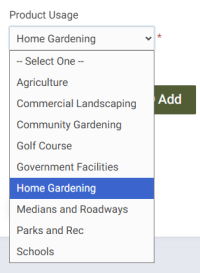
Step 3: Choose your material type (compost or mulch) and product usage. Select "home gardening" for residential use.
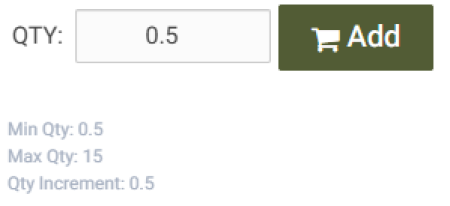
Step 4: Select your desired quantity (measured in cubic yards) and proceed to "My Cart”.
Step 5: Create an account (required to redeem coupon code).
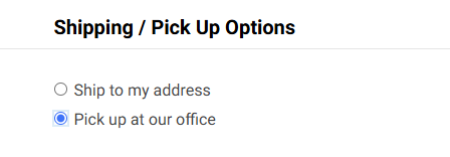
Step 6: Enter your billing information and select "Pick up at our office" to avoid delivery charge. Billing information is required for tracking purposes of free compost and mulch products.
Step 7: At checkout, enter the coupon code associated with the city listed in your residential address to receive compost/mulch for free.
Step 8: Watch for an email from an Agromin representative with pickup instructions. During this step, you will be able to select pickup date, time, and greenery location.